

Every size and color of a product in one table with price, stock and quantity. Shoppers fill in the quantities and add everything to the cart in one click — the way they order from a wholesale price list.
Prices exclude VAT — tax is added at checkout based on the buyer's country (EU businesses with a VAT number pay no VAT). Card and other payment methods; invoices issued by Lemon Squeezy. You get the download right after purchase.
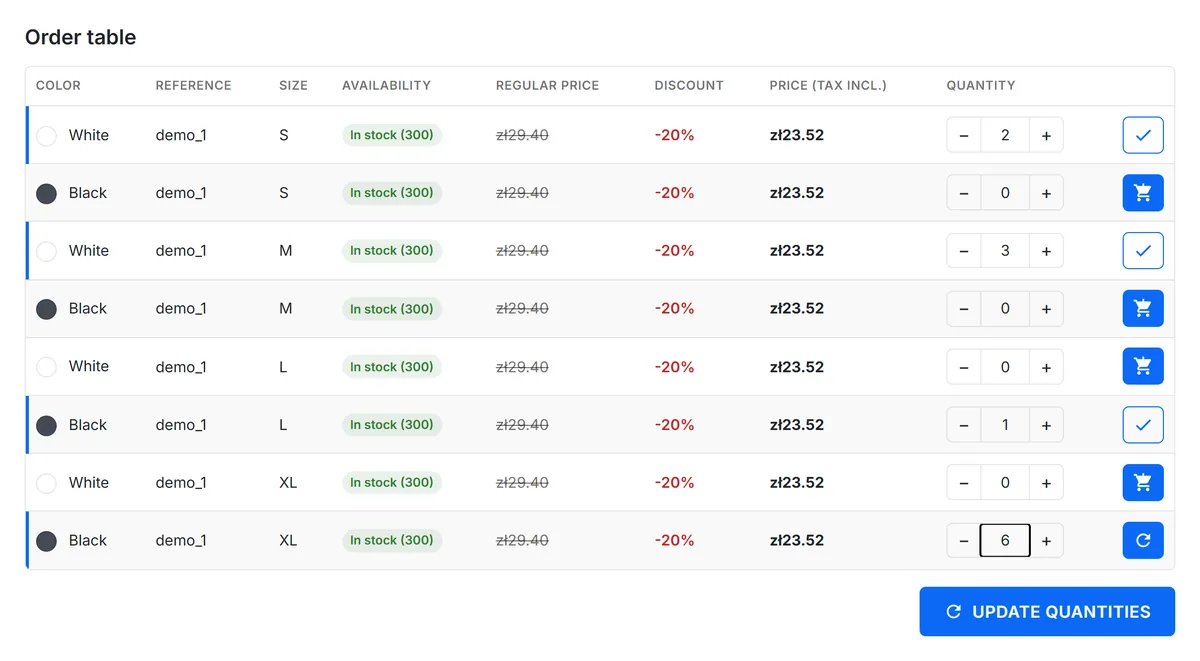

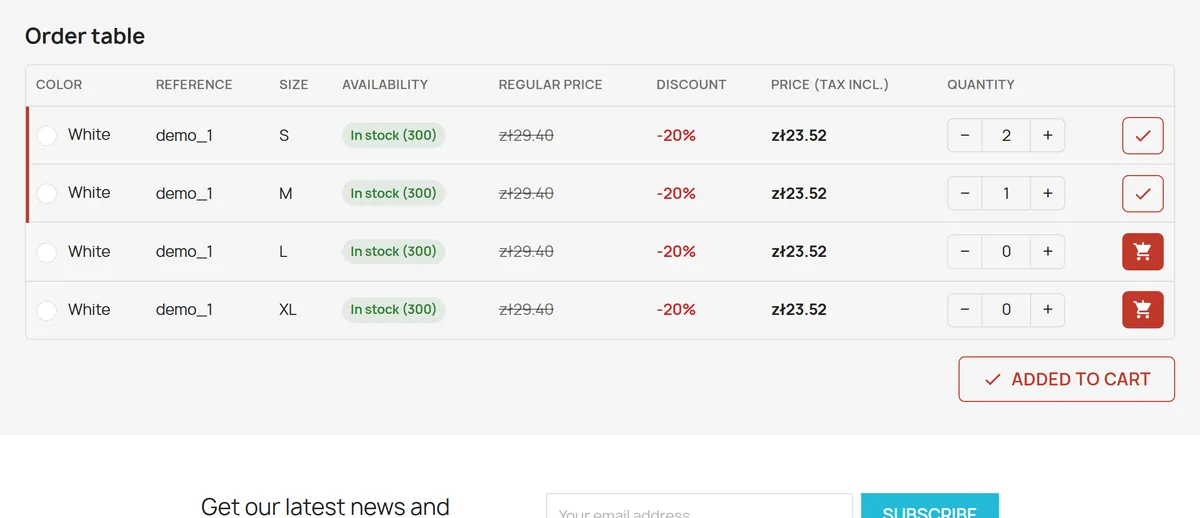
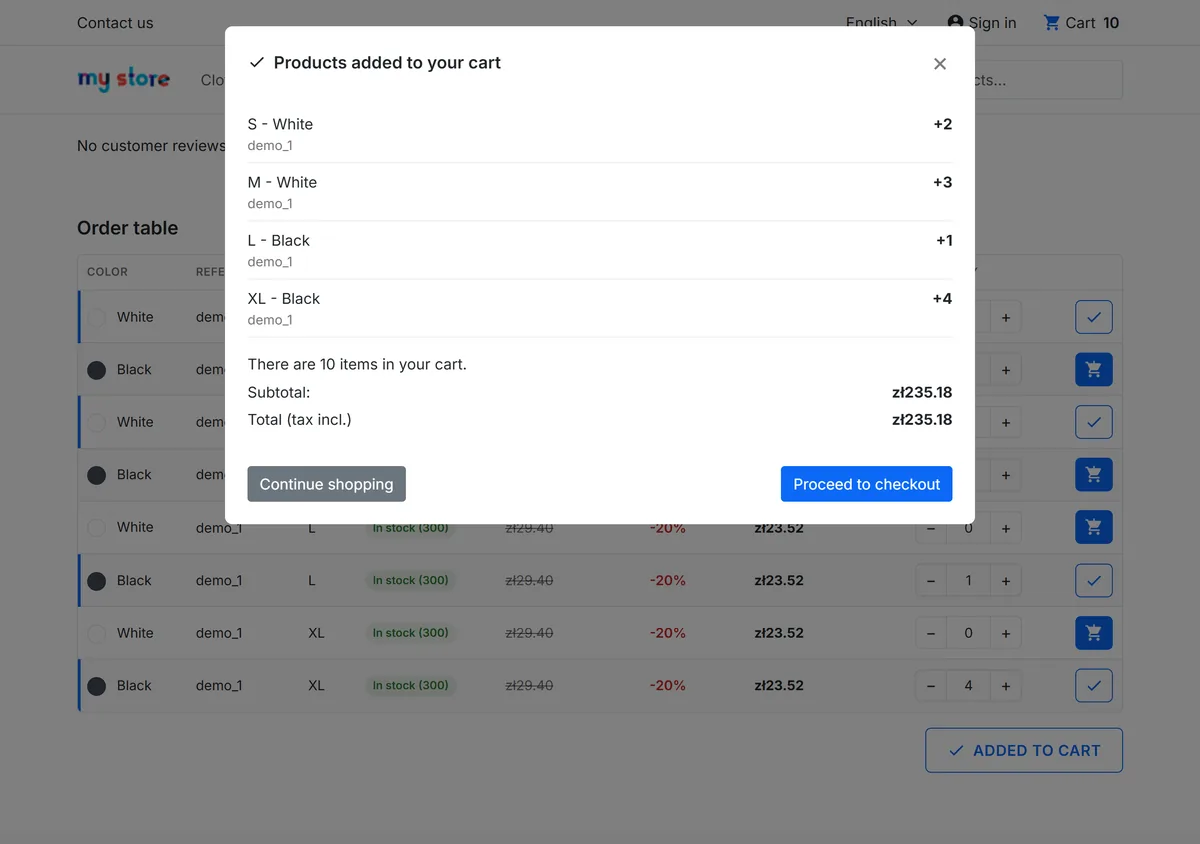
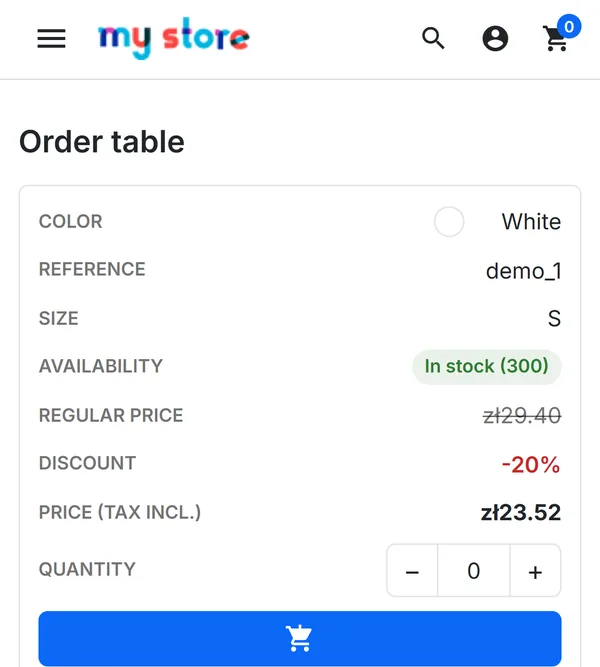
A cart button on every row plus "Add all to cart" for the whole table. The same table changes and removes cart lines.
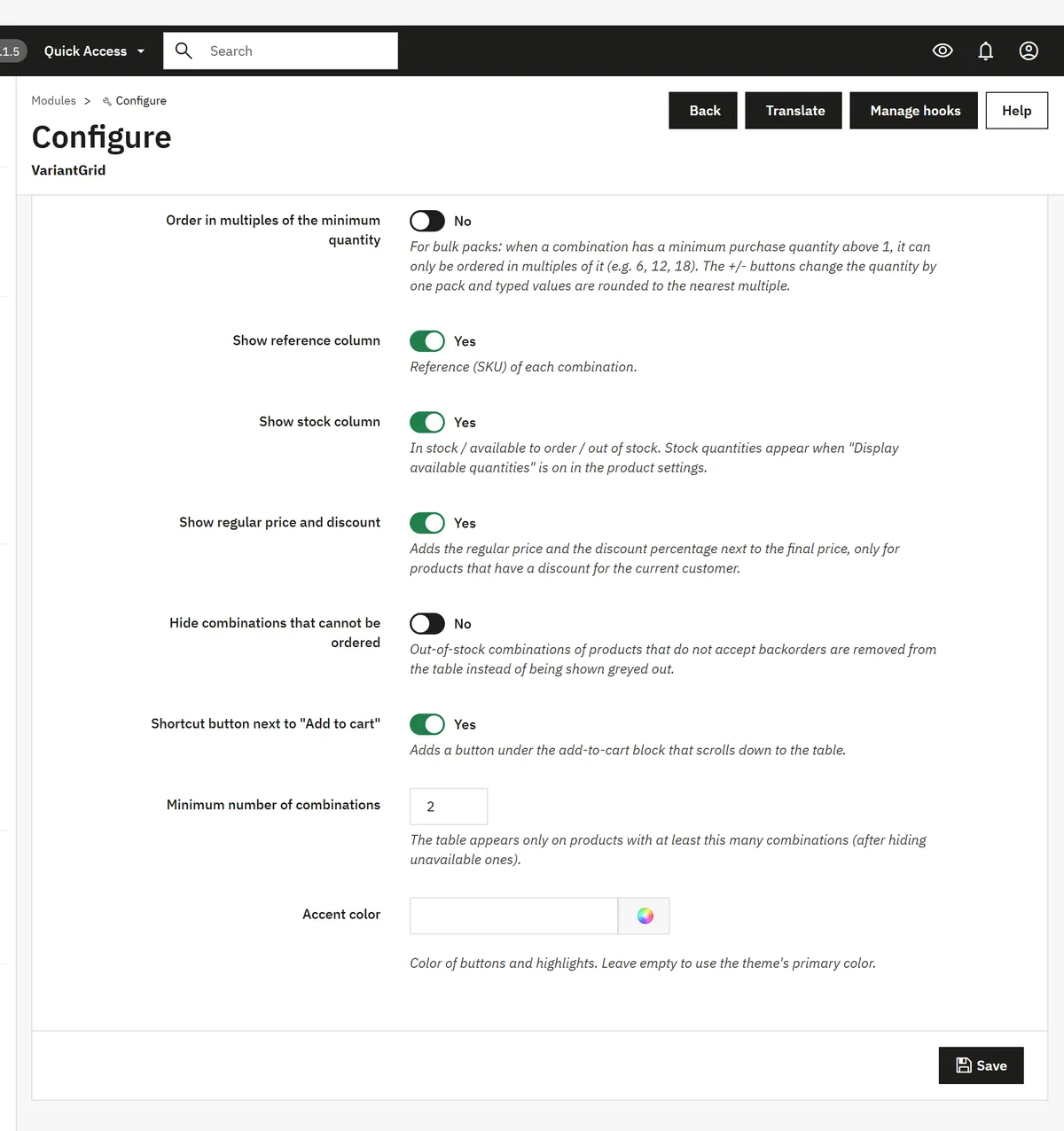
Group discounts, specific prices and currencies are calculated by PrestaShop itself. A B2B group set to tax excluded sees net prices.
The combination's minimum quantity, optionally in multiples only (6, 12, 18…). The −/+ buttons step by one pack.
The table shows the rows of the color picked on the product page — or always every combination.
In stock / available to order / out of stock. Stock, minimums and packs are checked again on the server for every change.
No overrides, no database tables, no theme changes. Uninstalling removes the module's settings. English and Polish included.
displayFooterProduct hook on the product page (the default themes and most themes built from them).No. The table appears under the product description through the theme's standard hook; no template files are replaced.
Yes, when their customer group's price display method is set to tax excluded (Customers → Groups). The table then shows net prices and the header "Price (tax excl.)", like the rest of the shop.
The price column shows the unit price for one item. PrestaShop applies quantity discounts in the cart, but the table does not display them.
Set the combination's minimum quantity (e.g. 6) and turn on "Order in multiples of the minimum quantity" in the module. The table then accepts only 6, 12, 18… The theme's own "Add to cart" button checks the minimum, not the multiples.
Products with required customization fields get no table, because they cannot be added to the cart without filling those fields in.
Not declared for now: the module is tested and sold for PrestaShop 9.x.
Download the package and upload it in the back office (Modules → Module Manager → Upload a module) — the table appears right away on products with combinations.
Buy VariantGrid — 169.99 PLN excl. VATThe combination table with price, availability and quantity, added to the cart row by row. No cost (AFL 3.0 license). "Add all to cart", editing the cart from the table and bulk packs come with VariantGrid; once it is installed, the Lite version switches itself off.
Download VariantGrid Lite (free ZIP)